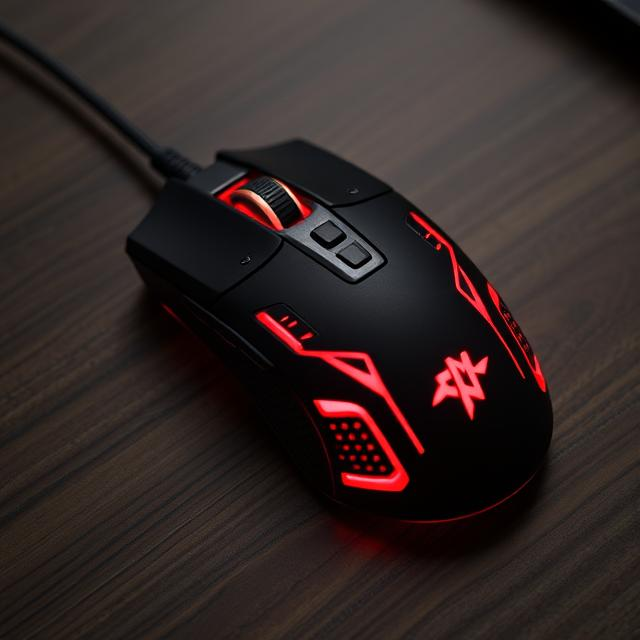

Introduction: Why the MX Master is a Game-Changer for Productivity
When it comes to computer peripherals, the mouse is often an afterthought. Many people use a standard, budget-friendly mouse without giving much consideration to how it impacts their productivity or comfort. However, if you’re someone who spends hours working on a computer, whether for design, coding, gaming, or general office tasks, having the right mouse can make a huge difference. Enter the MX Master—a highly regarded and versatile mouse from Logitech that has become a favorite among professionals worldwide.
The MX Master is not just any mouse. It’s a tool designed to enhance your workflow, providing comfort, precision, and functionality all in one. Whether you’re a creative professional, a gamer, or someone who works long hours at a computer, the MX Master has features that can help reduce strain, improve efficiency, and make your daily tasks much easier. In this blog, we will explore the features, benefits, and reasons why the MX Master might just be the best investment you make for your productivity.
Table of Contents
ToggleWhat is the MX Master?
The MX Master is a series of high-performance mice from Logitech, known for their ergonomic design, advanced features, and exceptional precision. The MX Master series includes several versions, with the MX Master 3 and MX Master 3S being the latest in the line. These mice are designed to meet the needs of professionals who require a responsive and comfortable input device for long hours of use.
The MX Master is especially popular among professionals in fields like graphic design, video editing, software development, and finance. Its combination of precision, ergonomics, and versatility has made it a go-to choice for anyone looking to enhance their productivity.
Key Features of the MX Master
-
Ergonomic Design for Comfort
One of the standout features of the MX Master is its ergonomic design. Logitech has put a lot of effort into crafting a mouse that fits the natural contour of your hand. This design ensures that users experience less strain and discomfort, even after long periods of use. The MX Master is contoured with thumb support and a sculpted shape that naturally fits into your palm.
For individuals who suffer from wrist or hand fatigue from extended computer use, the MX Master offers a relief. Its shape encourages a neutral wrist position, minimizing strain compared to traditional mice that force the wrist into awkward positions.
-
Advanced Precision and Performance
Precision is key when choosing a mouse, especially for professionals who need accuracy in their work. The MX Master comes equipped with a high-precision 4000 DPI sensor, which can be adjusted to suit your needs. Whether you’re editing detailed graphics, playing a high-paced game, or simply browsing, the MX Master offers smooth and accurate tracking on a variety of surfaces.
What sets the MX Master apart is its Darkfield Laser Sensor, which allows it to work on virtually any surface, including glass. This is a massive advantage over traditional optical mice, which can struggle on certain surfaces like glass desks or glossy tables. The MX Master can perform flawlessly in almost any environment.
-
Customizable Buttons for Efficiency
The MX Master features several customizable buttons that can be programmed to suit your workflow. It comes with the standard left and right-click buttons, a scroll wheel, and a thumb wheel, but it also includes extra buttons that can be configured for specific actions. These extra buttons allow you to assign shortcuts for tasks you perform frequently, such as switching between apps, zooming in and out, or adjusting volume levels.
This customization feature makes the MX Master a powerhouse for users who need to streamline their workflow and reduce the time spent on repetitive tasks. By assigning the most used commands to these buttons, you can significantly improve your efficiency.
-
Multi-Device Connectivity
Another powerful feature of the MX Master is its ability to connect to multiple devices simultaneously. Whether you’re working on a desktop, laptop, or tablet, you can seamlessly switch between devices with just the push of a button. The MX Master supports both Bluetooth and USB receiver connectivity, which means it can be used with virtually any device, including Windows, macOS, Linux, and even mobile devices.
For those who work across multiple devices at once—such as a desktop and a laptop or a laptop and a tablet—the MX Master eliminates the need to constantly disconnect and reconnect your mouse. With Logitech’s “Easy-Switch” buttons, you can switch between devices effortlessly without any interruptions to your workflow.
-
Long Battery Life and Fast Charging
The MX Master is built for long-lasting performance. Its battery life is impressive, providing up to 70 days of use on a single charge (depending on usage). Even when the battery starts running low, you don’t have to wait for hours for it to recharge. The MX Master features fast charging capabilities, providing up to 3 hours of use with just a single minute of charging. This makes it perfect for users who don’t want to be interrupted by long charging times.
Additionally, the MX Master comes with a USB-C charging port, making it compatible with the latest charging cables and devices. This modern charging solution ensures that your mouse is always ready when you need it.
-
Advanced Scroll Wheel Technology
The MX Master is equipped with a highly responsive and versatile scroll wheel. The scroll wheel features “MagSpeed” technology, which allows for both precise click-to-click scrolling and ultra-fast free-spinning scrolling. This dual functionality is especially useful for users who need to navigate long documents or spreadsheets quickly.
The MX Master’s scroll wheel is also very quiet, reducing noise distractions during meetings or collaborative work. If you need to switch between different scroll modes, you can do so with a simple switch on the mouse, making it highly adaptable to different tasks.
-
Unifying Receiver and Bluetooth Support
Logitech’s Unifying Receiver is a proprietary technology that allows you to connect multiple Logitech devices—such as a keyboard and mouse—using just one USB receiver. This makes it easy to reduce cable clutter on your desk while still maintaining high-quality performance. The MX Master also supports Bluetooth connectivity, so you can use it with Bluetooth-enabled devices like laptops, tablets, and smartphones.
Whether you prefer the convenience of a USB receiver or the flexibility of Bluetooth, the MX Master has you covered.
Why Choose the MX Master?
-
Increased Productivity
The MX Master is built to enhance productivity, making it an ideal tool for professionals who work with multiple applications or need to complete tasks quickly. The customizable buttons, ergonomic design, and multi-device connectivity allow users to reduce the time spent on repetitive tasks, streamline their workflow, and easily switch between different devices without missing a beat.
For creative professionals, the MX Master provides the precision needed for detailed work, such as editing photos or video. The mouse’s smooth tracking and customization options allow designers and editors to work more efficiently and comfortably, whether they are navigating through complex timelines or zooming in on fine details.
-
Ultimate Comfort for Extended Use
One of the key advantages of the MX Master is its focus on user comfort. Many computer users experience hand or wrist strain due to long hours spent using a standard mouse. The ergonomic shape of the MX Master, combined with the soft-touch materials and thumb rest, minimizes stress on the wrist and hand. This makes it ideal for people who spend several hours a day at the computer, whether for work or leisure.
-
Perfect for Multi-Taskers
For professionals who juggle multiple devices or need to switch between tasks rapidly, the MX Master is the perfect solution. The ability to connect to multiple devices and switch between them with ease makes it a fantastic choice for multi-taskers. Whether you’re working on a project on your laptop while monitoring emails on your desktop, the MX Master ensures that you don’t have to waste time with constant device switching or interruptions.
-
Great for Designers and Creatives
The MX Master is especially popular among creative professionals like graphic designers, video editors, and photographers. Its high-precision sensor and customizable buttons allow users to quickly navigate design software, making it easier to edit photos, create animations, or manipulate 3D models. The advanced scroll wheel is another useful feature for creatives who need to quickly scroll through large documents or design files.
-
Reliability and Durability
Logitech is known for producing reliable and durable products, and the MX Master is no exception. Its solid construction ensures that it will withstand the test of time, making it a worthy investment for anyone who spends hours using a mouse daily. The long battery life, fast charging capabilities, and customizable features all contribute to the mouse’s long-term usability.
Conclusion: Why the MX Master is Worth the Investment
The MX Master is more than just a mouse; it’s a productivity-enhancing tool that can help streamline your workflow, reduce strain, and boost your efficiency. Its ergonomic design, precision, and advanced features make it a standout choice for professionals, creatives, and anyone who spends long hours at a computer. With features like customizable buttons, multi-device connectivity, and a highly responsive scroll wheel, the MX Master provides the perfect combination of comfort, performance, and versatility.
If you’re looking for a mouse that can handle all your tasks, whether it’s design work, office tasks, or gaming, the MX Master is an excellent choice. With its sleek design and powerful capabilities, the MX Master is sure to become an indispensable part of your setup. Don’t settle for a standard mouse—upgrade to the MX Master and experience the difference for yourself.