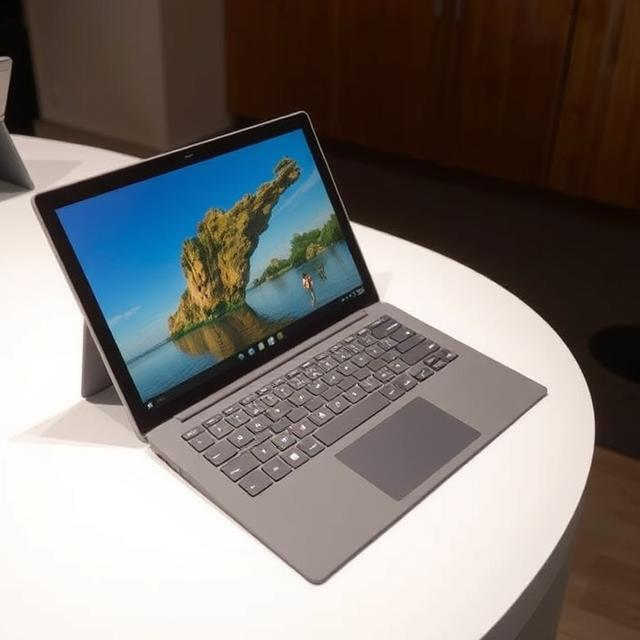

In the world of hybrid laptops, the Surface Pro 9 stands out as a powerhouse of versatility and performance. Whether you’re a professional seeking a portable work machine or a student looking for an all-in-one device for learning, the Surface Pro 9 offers a perfect blend of functionality, portability, and power. In this article, we’ll dive deep into the features and specifications of the Surface Pro 9, exploring its design, performance, display, and overall user experience.
Table of Contents
ToggleWhat is the Surface Pro 9?
The Surface Pro 9 is the latest addition to Microsoft’s Surface Pro lineup, following the success of its predecessors. It is a 2-in-1 tablet-laptop hybrid designed to provide users with the flexibility to use it as both a laptop and a tablet. Combining the power of a full-fledged laptop with the portability and convenience of a tablet, the Surface Pro 9 is aimed at professionals, creatives, students, and anyone who needs a portable, powerful device on the go.
The Surface Pro 9 is available in multiple configurations, featuring both Intel and ARM-based processors, allowing users to choose the best option based on their specific needs. Whether you’re working on demanding software or using it for casual browsing and entertainment, the Surface Pro 9 is up for the task.
Design and Build Quality
One of the key selling points of the Surface Pro 9 is its sleek and premium design. The device is crafted from high-quality aluminum, giving it a solid and durable build. The brushed finish adds a touch of sophistication, making it look and feel like a premium device. The Surface Pro 9 maintains the familiar design language of its predecessors, with smooth edges, a thin profile, and a compact form factor that makes it easy to carry around.
Weighing just 1.94 pounds (879 grams), the Surface Pro 9 is incredibly portable, making it an ideal choice for people who are always on the go. The device is also thin, measuring only 0.37 inches (9.3mm) in thickness, which is comparable to many ultrabooks on the market.
Another feature that enhances its portability is the detachable keyboard, which allows users to switch between laptop and tablet modes seamlessly. The keyboard, sold separately, is made from a soft-touch fabric that feels comfortable to type on. It also has a large precision trackpad, making navigation and productivity tasks easy.
Display: Vibrant and Crisp
The Surface Pro 9 features a 13-inch PixelSense touchscreen display with a resolution of 2880 x 1920 pixels. The high pixel density of 267 PPI ensures that everything on the screen is sharp and clear, whether you’re watching videos, browsing the web, or editing photos. The colors are vivid and accurate, making it perfect for creative professionals who rely on color accuracy for their work.
One of the standout features of the Surface Pro 9’s display is its 120Hz refresh rate. This provides smooth scrolling and responsiveness, making tasks like web browsing, gaming, and drawing feel fluid and natural. Whether you’re working on a document or enjoying media content, the Surface Pro 9 delivers an impressive viewing experience.
The screen also supports Surface Pen input, offering precise and responsive drawing and writing capabilities. This makes the Surface Pro 9 a great choice for artists, designers, and anyone who needs a tablet with accurate touch and pen support.
Performance: Power to Get Things Done
Under the hood, the Surface Pro 9 packs some serious power. It is available with two processor options: the Intel Core i5 or i7 from the 12th Gen Intel Evo series or the ARM-based Microsoft SQ3 processor, which is optimized for better battery life and performance efficiency. The Intel variant offers exceptional performance for more demanding tasks, such as video editing, programming, or running multiple applications at once.
For those who prefer a more energy-efficient solution, the ARM-based Surface Pro 9 with the Microsoft SQ3 chip offers impressive power for everyday tasks such as browsing, media consumption, and productivity work. It’s also worth mentioning that the ARM version provides better battery life than the Intel variant, which is ideal for users who need to use their device for extended periods without plugging it in.
The Surface Pro 9 also comes with up to 32GB of RAM and up to 1TB of SSD storage, ensuring that you have plenty of room for your apps, files, and multimedia. With this amount of memory, the device can handle multitasking with ease, allowing you to run multiple applications simultaneously without slowing down.
The device also comes with Intel’s integrated Iris Xe graphics for the Intel variant, which provides smooth performance for tasks like light gaming, photo editing, and video playback. The Surface Pro 9 is not designed for hardcore gaming, but it’s certainly capable of handling most everyday tasks and creative work without issue.
Battery Life: Work All Day
When it comes to battery life, the Surface Pro 9 impresses with its longevity. Depending on your configuration and usage, the device can last up to 15 hours on a single charge. This makes it a great option for people who need to use their device for an entire workday without constantly hunting for a charger.
The ARM-based Surface Pro 9 with the Microsoft SQ3 chip offers even longer battery life, allowing you to use the device for up to 19 hours, making it ideal for those who travel often or need a device that can handle all-day usage without needing to be plugged in.
While battery life can vary depending on factors such as screen brightness, apps in use, and processing demands, the Surface Pro 9 provides more than enough power for a full day of work or study. Plus, when it’s time to recharge, the Surface Pro 9 supports fast charging, meaning you can get hours of usage with just a short amount of charging time.
Connectivity and Ports
Despite its slim design, the Surface Pro 9 is equipped with a solid array of connectivity options. The device includes two USB-C Thunderbolt 4 ports, which offer fast data transfer speeds, support for external displays, and compatibility with a range of accessories. The inclusion of Thunderbolt 4 ensures that the Surface Pro 9 can handle high-speed peripherals, such as external storage devices, docking stations, and high-definition displays.
In addition to the USB-C ports, the Surface Pro 9 also comes with a Surface Connect port, which is used for charging and docking with compatible accessories. The device also includes a headphone jack, a front-facing 1080p webcam, and dual microphones, making it great for video calls and remote work.
For wireless connectivity, the Surface Pro 9 supports Wi-Fi 6, ensuring fast and stable internet speeds. Bluetooth 5.1 is also supported, allowing you to connect wireless peripherals such as headphones, speakers, and mice.
Windows 11 and Software Features
The Surface Pro 9 runs on Windows 11, which offers a smooth and intuitive user experience. With a fresh user interface, improved performance, and new features such as widgets, virtual desktops, and enhanced touch support, Windows 11 is an excellent match for the Surface Pro 9.
The device comes pre-loaded with useful apps like Microsoft Office and OneDrive, making it easy to stay productive right out of the box. Additionally, the Surface Pro 9 supports the full range of Windows software, so you can run everything from professional applications to entertainment and gaming apps without limitations.
For those who need more advanced security features, the Surface Pro 9 also supports Windows Hello, which allows you to sign in using facial recognition or a fingerprint scanner (on certain models). This ensures that your device stays secure while offering a fast and convenient login process.
Surface Pen and Keyboard: Elevating Your Productivity
The Surface Pro 9 supports the Surface Pen, which offers exceptional accuracy and responsiveness for tasks such as drawing, note-taking, and editing documents. The pen features a fine tip, tilt support, and pressure sensitivity, making it ideal for creative professionals and students alike.
The detachable keyboard, which features a full-sized keyboard and a large precision trackpad, is another great feature of the Surface Pro 9. The keyboard allows you to easily switch between tablet and laptop modes, providing a versatile typing experience. While the keyboard is sold separately, it’s a must-have accessory for those who plan to use the Surface Pro 9 for work, school, or productivity tasks.
Conclusion: Why Choose the Surface Pro 9?
The Surface Pro 9 offers a perfect combination of performance, versatility, and portability. Whether you’re a professional, a student, or someone who simply wants a powerful device for both work and play, the Surface Pro 9 provides all the features you need in a sleek and compact package.
With its stunning display, powerful processors, long-lasting battery, and seamless integration with Windows 11, the Surface Pro 9 is a device that can handle just about anything you throw at it. If you’re looking for a device that can switch between laptop and tablet modes with ease, while delivering premium performance for everyday tasks and creative work, the Surface Pro 9 is a fantastic choice.
Overall, the Surface Pro 9 is one of the best 2-in-1 devices on the market, offering great value for those who need a versatile, powerful, and portable device. Whether you’re working remotely, taking notes in class, or streaming content, the Surface Pro 9 will be your perfect companion.